Casual creator
You want a short character line for a sketch, reel, or narrated post.
A controlled character treatment can add personality while leaving the punchline understandable.
voice changer for YouTubeEffects workflow
A voice changer with effects can do more than shift pitch: it can shape tone, texture, space, and character. Use this guide to plan a clean input, test one effect at a time, and judge the result honestly.
Start with the source
The best results begin with understandable speech and a specific creative goal. Keep the first test simple so you can tell whether the change comes from the voice treatment or the recording itself.
Set expectations
Effects are useful when they support the voice rather than bury it. These caveats are part of the workflow, not reasons to hide the limitations.
Large pitch shifts, dense distortion, or long echoes may make words harder to understand, especially in live conversation.
WorkaroundLower the effect strength and test the result with headphones before using it publicly.
Room hum, keyboard clicks, and clipping can become more noticeable after processing.
WorkaroundRecord in a quieter space and keep the original input level comfortably below clipping.
A processed voice can sound different through speakers, headphones, a call app, or a recording export.
WorkaroundRun a short end-to-end check in the same app and device you plan to use.
Changing pitch or texture may alter the sound without removing every recognizable speech pattern.
WorkaroundTreat effects as creative audio processing, not as a promise of anonymity.
Follow the sequence
Move from a dry reference to a controlled effect and then to a real listening check. This makes it easier to keep the result expressive without losing the message.
Use a short spoken sample with steady volume, natural phrasing, and little background noise. Save the dry version so you have a direct comparison.
Start with pitch, character, ambience, or texture rather than stacking everything at once. Adjust gradually until the change is obvious but the words remain readable.
Check the processed voice through the intended headphones, speakers, call, or clip workflow. Remove any effect that distracts from the purpose of the recording.
Hear the contrast
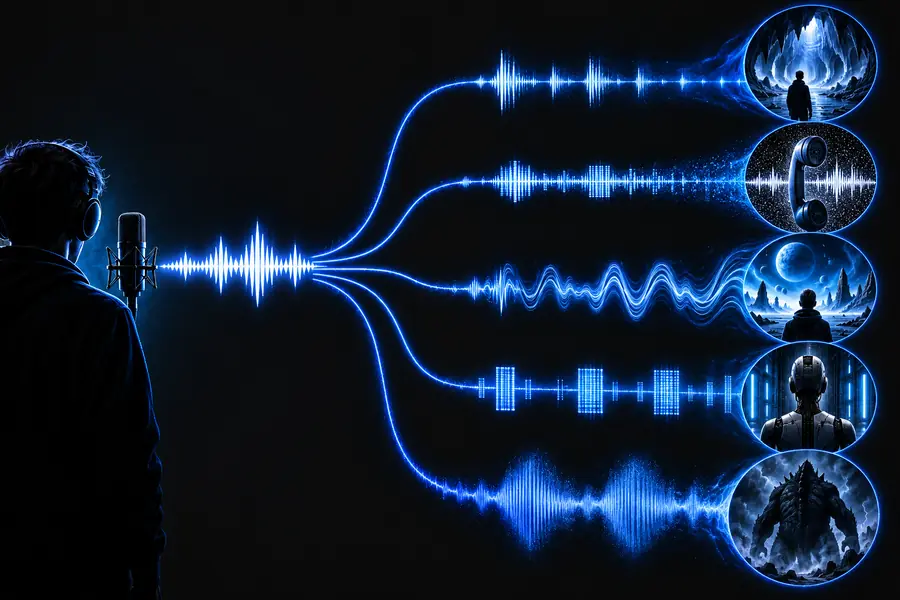
A before-and-after comparison is more reliable than judging a processed voice in isolation. Listen for intelligibility first, then decide whether the character and atmosphere fit the scene.
Compare clarity before chasing intensity.
Choose deliberately
Different effect families solve different creative problems. This comparison keeps the choice practical instead of treating every preset as interchangeable.
Light treatment
Character treatment
Light treatment
Make the voice feel polished or slightly different
Character treatment
Create a noticeable role, creature, or fictional character
Light treatment
Small shift that preserves natural phrasing
Character treatment
More pronounced shift with greater character impact
Light treatment
Subtle warmth, brightness, or room feel
Character treatment
Robotic, metallic, filtered, or exaggerated texture
Light treatment
Usually easier to understand in conversation
Character treatment
May need careful balancing to keep words distinct
Light treatment
Messages, narration, casual calls, and light edits
Character treatment
Short sketches, character clips, games, and creative scenes
Light treatment
Compare small adjustments against the dry recording
Character treatment
Change one dramatic element at a time and remove clutter
Light treatment
The result may sound too subtle for the intended scene
Character treatment
The effect may overpower the speaker or become tiring
Light treatment
Choose this when communication matters most
Character treatment
Choose this when recognisable character matters most
Match the context
The same processed voice can work in one setting and fail in another. Start with the audience, the delivery method, and how much attention the listener can give.
You want a short character line for a sketch, reel, or narrated post.
A controlled character treatment can add personality while leaving the punchline understandable.
voice changer for YouTubeYou want a memorable voice during a team session without making callouts unclear.
A lighter effect usually works better than a dense stack that hides timing and words.
voice changer for ValorantYou are testing a few vocal textures from a phone before deciding on a final recording.
Short samples make it easier to compare ideas without committing to a long performance.
voice changer mobileYou need a transformed voice for a live chat while preserving a natural back-and-forth.
Prioritise monitoring and intelligibility, then add only the effect that supports the conversation.
voice changer for DiscordTest the idea
The strongest effect is not always the most useful one. Start with a clear creative brief, compare the processed voice with the original, and keep the version that serves the listener.
Describe the character, mood, pitch direction, and amount of texture you want to explore. Then review the output for clarity before using it in a call, clip, or creative project.
Create a voice effectCommon questions
These answers cover the practical decisions people usually make when exploring effects on a transformed voice.
It is a voice transformation workflow that changes the character of spoken audio and may add treatments such as pitch movement, ambience, distortion, or robotic texture. The goal can be subtle polish or a clearly fictional sound.
Begin with a clean, steady recording and apply one effect at a time. Compare the result with the dry voice, lower the intensity when consonants disappear, and listen through the same device or app your audience will use.
They can be considered for live use when the chosen setup supports the required input and output path. Test monitoring, delay, and intelligibility first, because a sound that works in a short clip may be distracting in a conversation.
Pitch changes can suggest age or character direction, while texture and ambience can add a robotic, synthetic, distant, or theatrical quality. Choose the smallest combination that communicates the intended role and keeps the words understandable.
No effect should be treated as a guarantee of anonymity. A transformed voice may still retain timing, phrasing, accent, or other recognisable traits, so use effects for creative audio purposes rather than relying on them as identity protection.